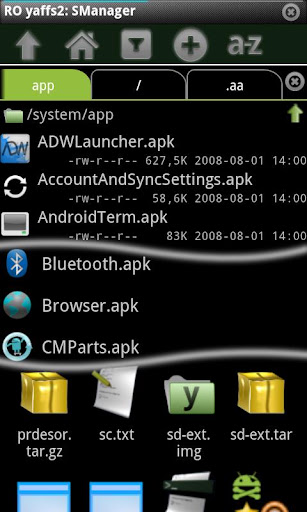
Execute scripts and executables, root explorer, file manager, multi tab browser and terminal emulator.* Scripts Executables
Manage and execute shell scripts and programs in file system.
All executions run over vt100 terminal accepting user input and esc codes (colors, bel, cursor movement ..)
Run them at boot-up and/or on network status change possibility.
Schedule at selected time. (cron jobs)
Show graphical dialogs from running process.
Create widgets at desktop.
Edit and create scripts, also create them from url.
Insert code in your scripts using QR codes.
Share execution output.
Bookmark your scripts.
Test SM_2.8.2ON and/or SM_2.8.2ONCODE to know if is running inside SManager.
With root privileges you can also execute them as superuser.
* File manager
Browse all phone's file and network files.
zip,tgz,tar,tbz and yaffs2 (nandroid backups) support.
Browse network(including http://) zip files without full download.
Open multiple directories on different tabs.(3 tabs for Ads version)
File linking support(On supported filesystems)
Multiselect from different directories support. (Ads version only support 7 selections from different directories. No limit if selections are in the same directory)
* Root explorer(Rooted device needed)
Automatically mount RO partitions in RW when needed.
Root editor (Allow edit files with root privileges. Configure "Browse as root")
Open and edit ALL files regardless the permissions they have with selected application. Use CAREFULLY(Configure "Browse as root" in order to get this feature)
* Console screen
Volume Up: Mapped to Esc key.
Volume Down: Mapped to Enter key.
DPad press: Mapped to Control key. (Press and then press other key. Not simultaneous pressing required)
Enable "extra gestures" in config screen in order to send Home/End,del/tab,left/right,pgup/pgdown keys. This is very useful to execute shell and ssh connections.
WEIRD CHARACTERS: If you get a lot of [[^ characters, is due you have "extra gestures" enabled and script/program doesn't process them. Use most right side of screen to send standard scroll event, or disable "extra gestures"
* SM Multiselect
Selects automatically files selected in third party apps, like Gallery, inside SM Browser
* External Storage SD Notes
You can install SManager on external Storage SDcard, but you must be know:
- If you are using boot scripts or scheduled script, you will need SMExternalSD app.
- All events like network status change and scheduled scripts while external storage is shared or unmounted will not be processed. Although you have SMExternalSD installed
NOTE:
SManager does not launch executions until external storage is mounted.
NOTE2:
Detected some programs/daemons (like dropbear) fails if has stdin closed. Try put "exec 0>&1" to reopen stdin in background executions.
* No ads version features
No ads.
Execute scripts from widgets without opening console.
No limits in multiselect.
No limits opening multiple directories.
Alias keys in SMConsole.
Hide/show SMConsole/SMBrowser bar with up/down gesture at top of the screen.